# User Login
# 1.SMS Login
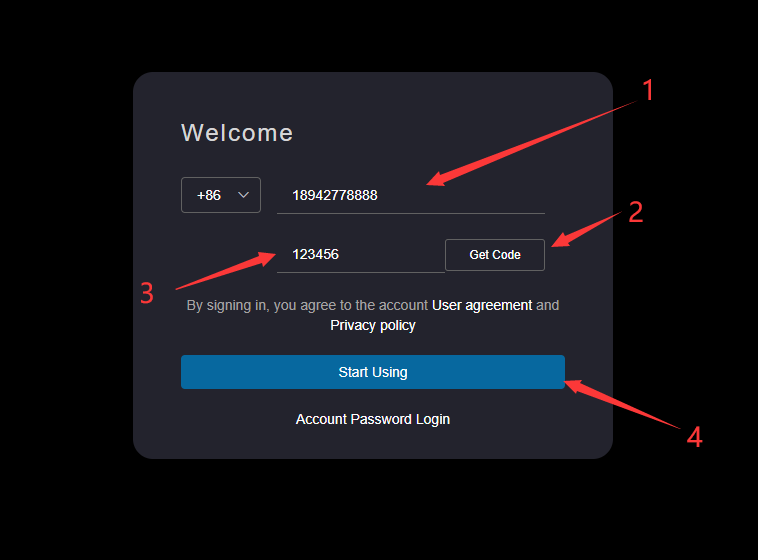
Enter the access address of HapyTeam in the browser address bar,such as:https://hapyteam.com/,Click the SMS shortcut login page, enter the mobile phone number, enter the verification code after man-machine verification, and click Start.
# 2.Account Login
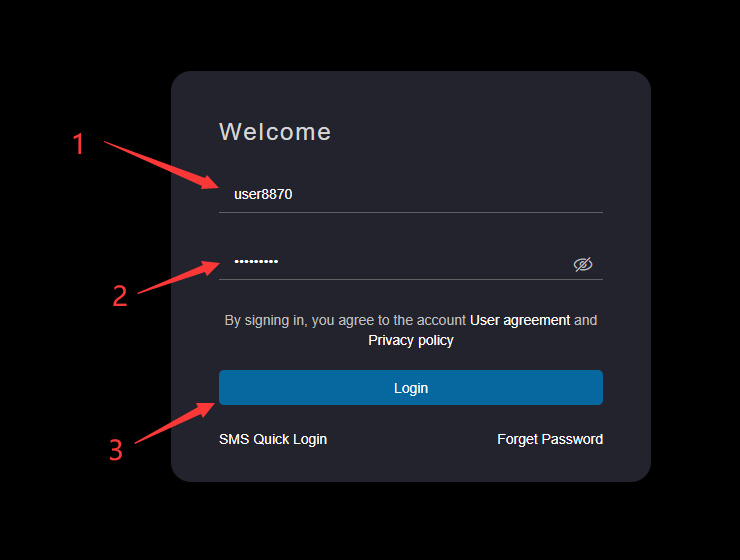
Enter the access address of HapyTeam in the browser address bar, such as: https://hapyteam.com/ , click the account password login page, enter the account password, click login, and perform man-machine verification.
Account login support: combination login mode of mobile phone number/password, user name/password and authenticated- email/password
The password input box supports switching between plaintext display and ciphertext display modes
# 3.Forgot password
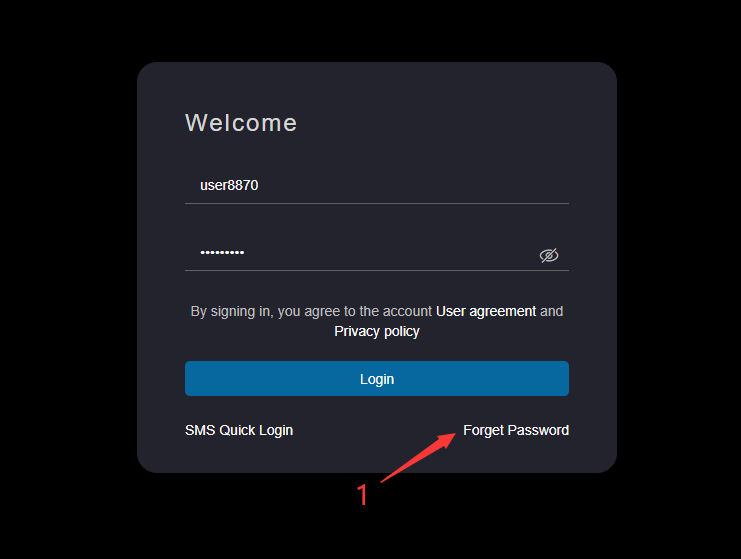
Enter the access address of HapyTeam in the browser address bar, such as: https://hapyteam.com/ , click the account password login page, click Forget Password to enter the mobile phone number verification interface.
After entering the mobile phone number, click to obtain the verification code. After entering the verification code, click the Reset Password button to enter the password reset interface.
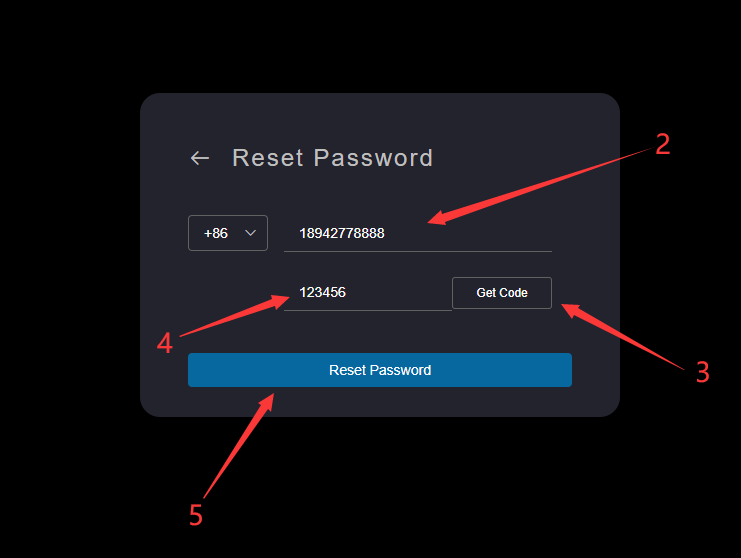
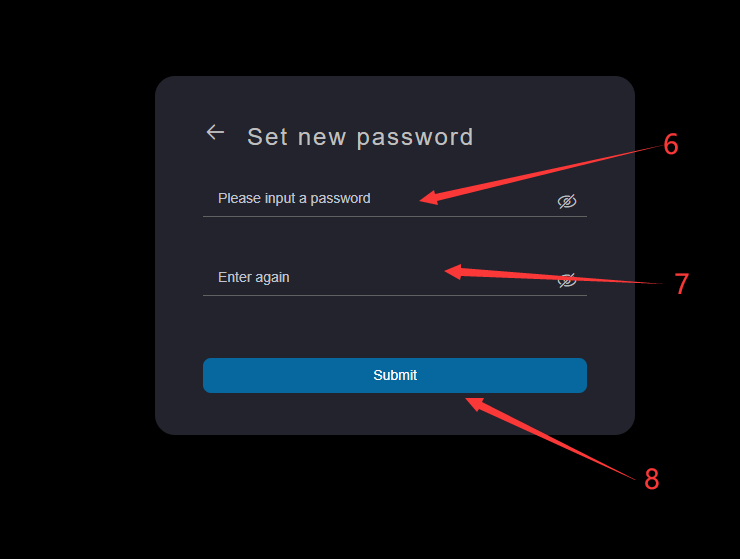
Enter the new password, enter the new password to confirm the password, and click Submit.
The password format is: it must contain letters, numbers and special characters, and the length is between 8 and 18 digits
The password input box and the confirmation password input box support switching between plaintext display and ciphertext display modes